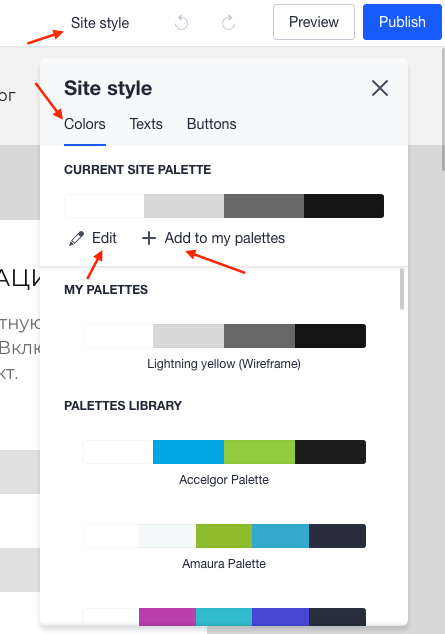
When you click on Site Style button, which is located in the upper right corner, you will see Colors tab and there you can manage the color theme of your website, you can choose it from our library of palettes or click on Edit and create the palette you want by changing all the colors. There is a button 'Add to my palette 'which is used for adding your created palettes to the quick access panel.