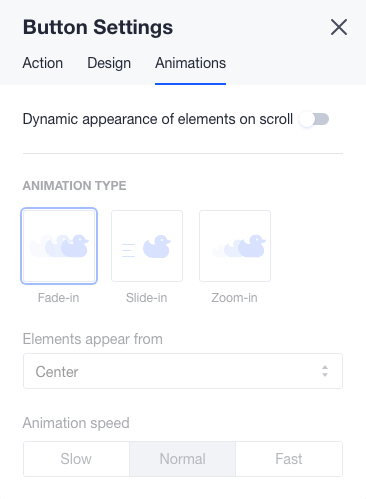
To access button's settings, you need to click on the button and then on the wheel icon. The third tab is 'Animations', here you can choose animation type and speed with which it will appear on the page.

Modified on: Thu, 20 Sep, 2018 at 11:26 AM
To access button's settings, you need to click on the button and then on the wheel icon. The third tab is 'Animations', here you can choose animation type and speed with which it will appear on the page.
Did you find it helpful? Yes No
Send feedback