In our Editor we have a number of basic SEO settings.
We have SEO settings for each page.
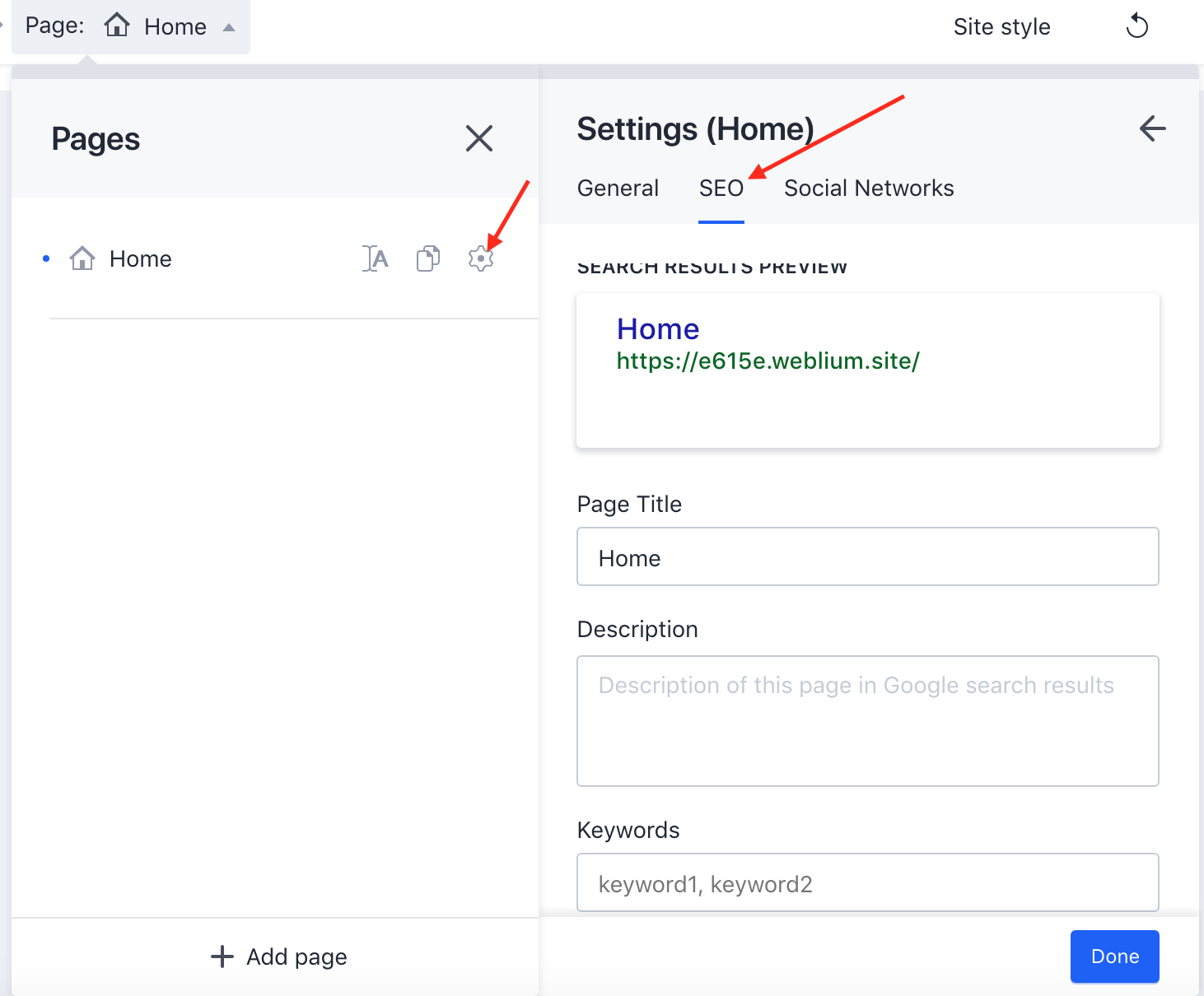
- To access them, you need to click on the wheel button near the name of the page and click on SEO tab.
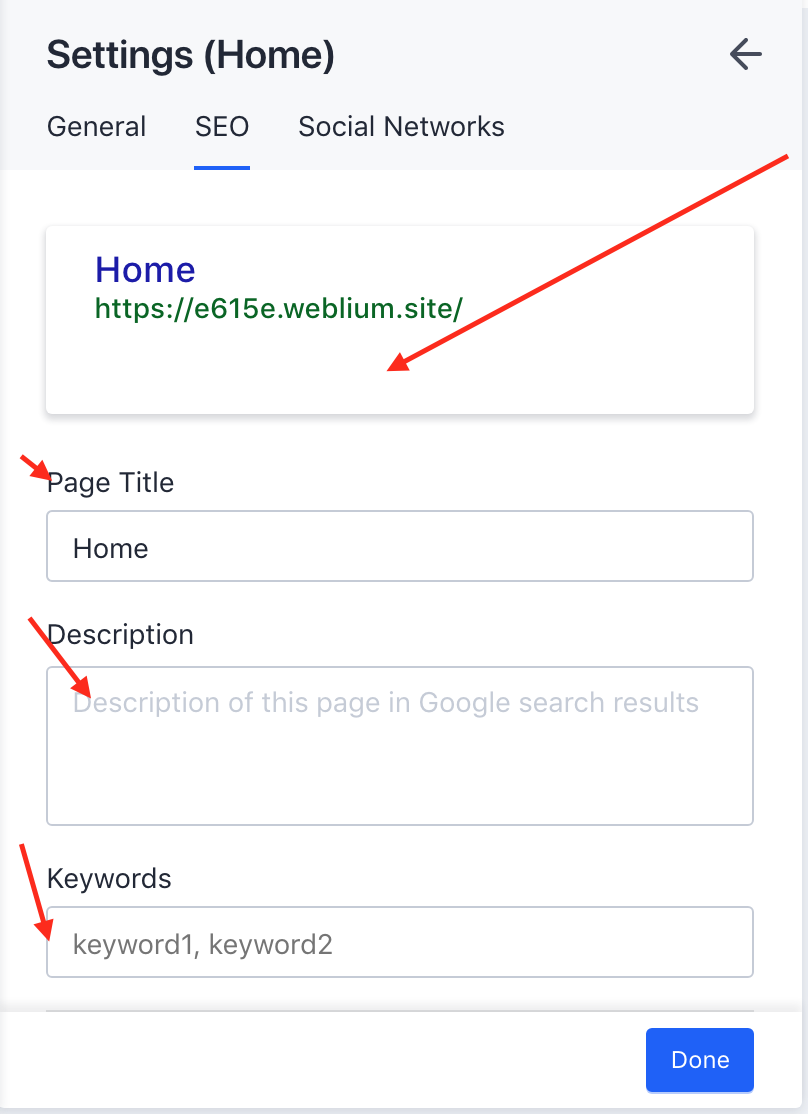
- If you click on 'Edit page info', you will be able to configure search result preview. It means that you can choose Page Title, Description and Keywords.
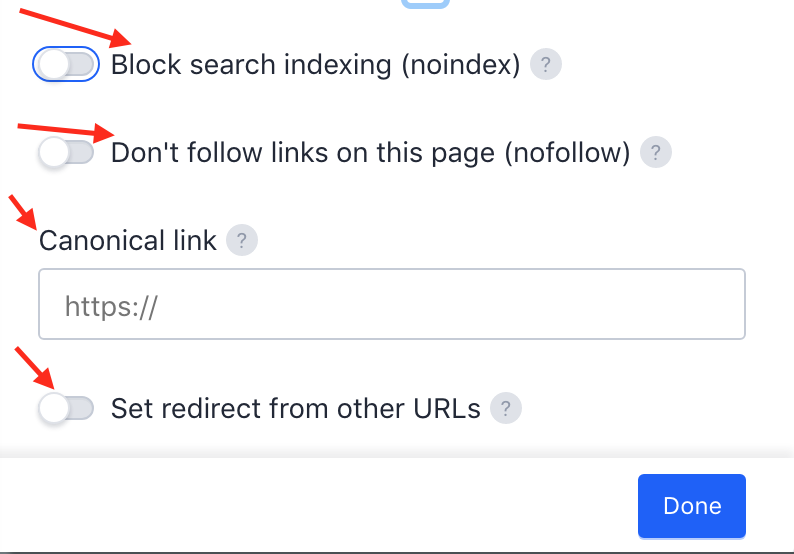
3. 'Block search index' - this page won't be indexed by the search systems.
4. Don't follow links on this page - HERE you can read more what is this and why do you need it
5. Canonical link - if you have several similar versions of the same content, you pick one “canonical” version and point the search engines at it.
6. Set redirect from other URL's - old URL can be redirected to a new one.
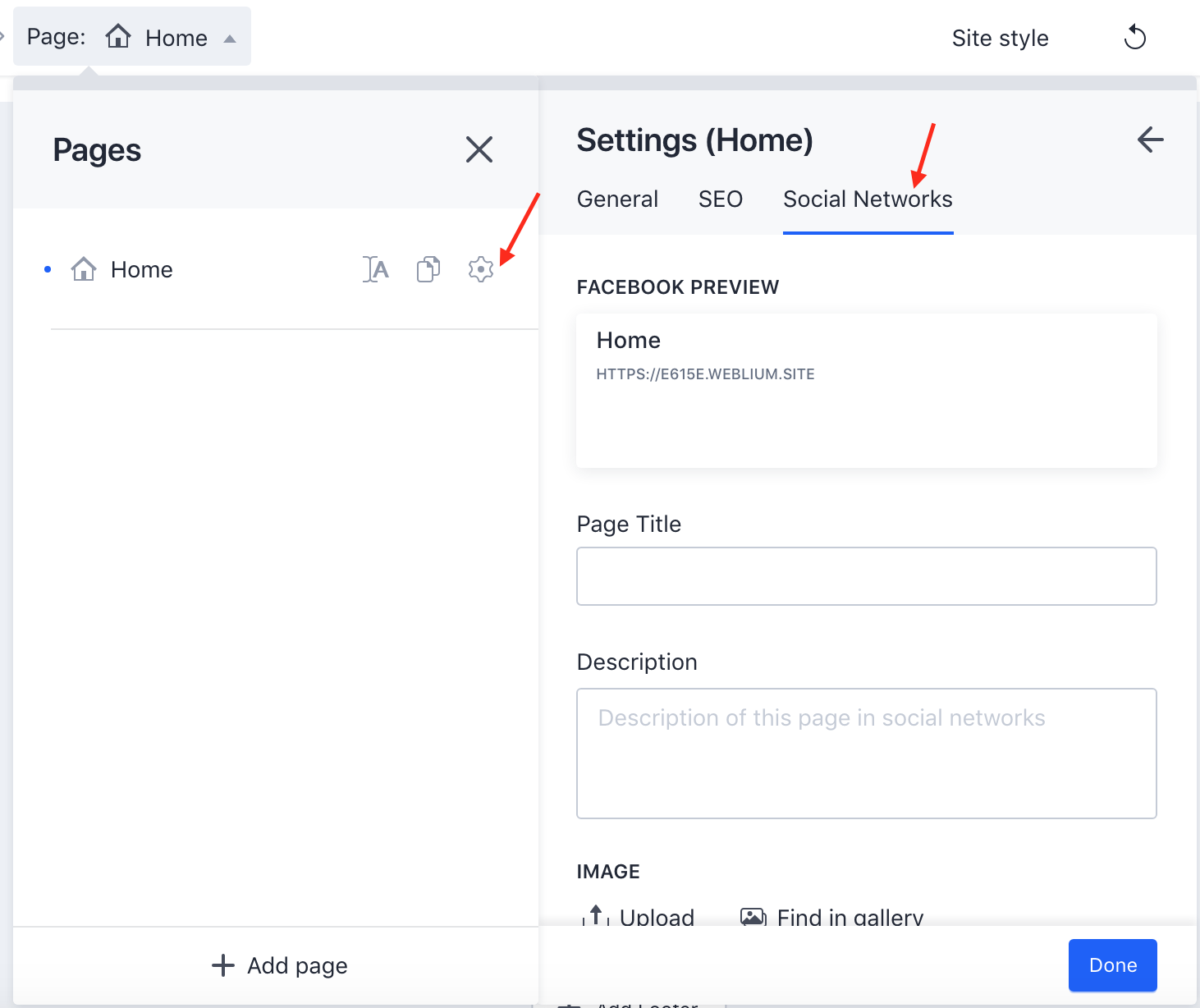
7. And we have Social Network tab, where you can set your Facebook preview by choosing Page Title, Description and Image.