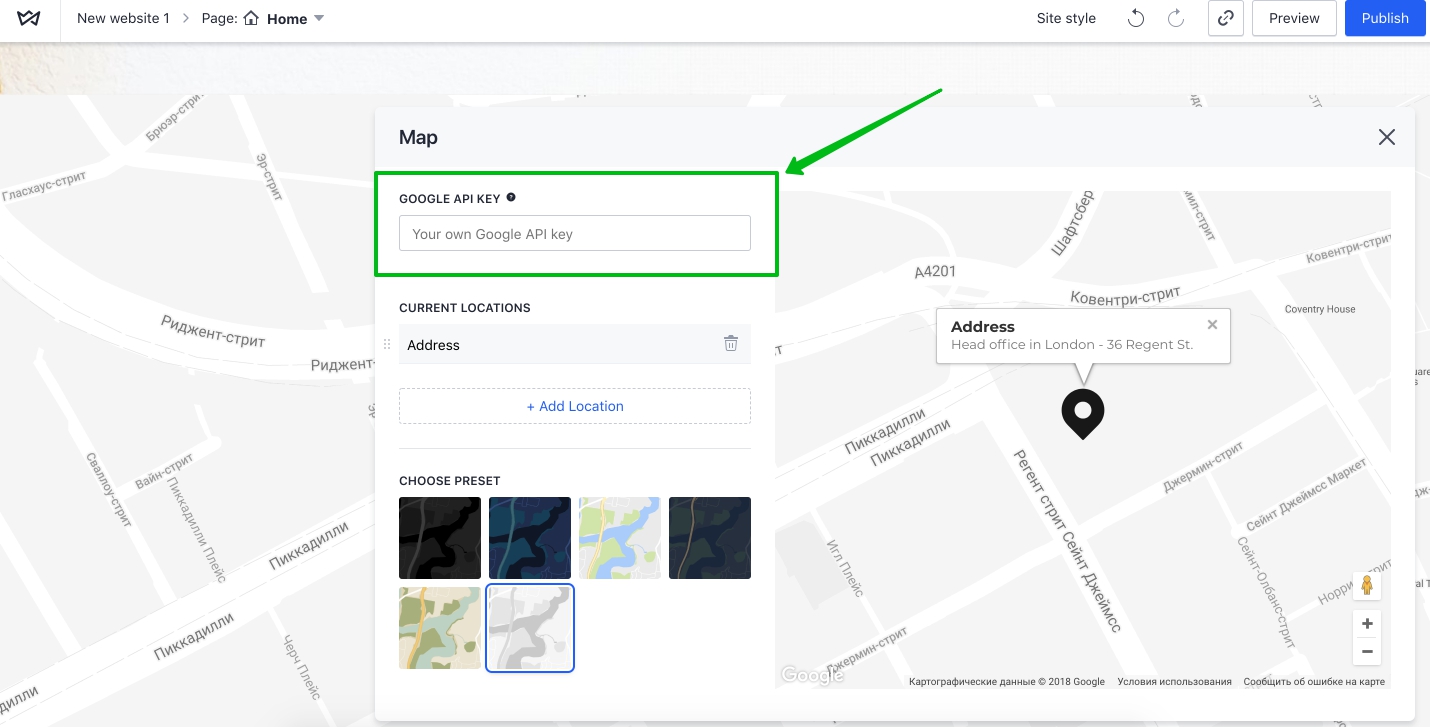
Follow these steps to get an API key:
1. Go to the Google Cloud Platform Console.
2. Choose Maps.
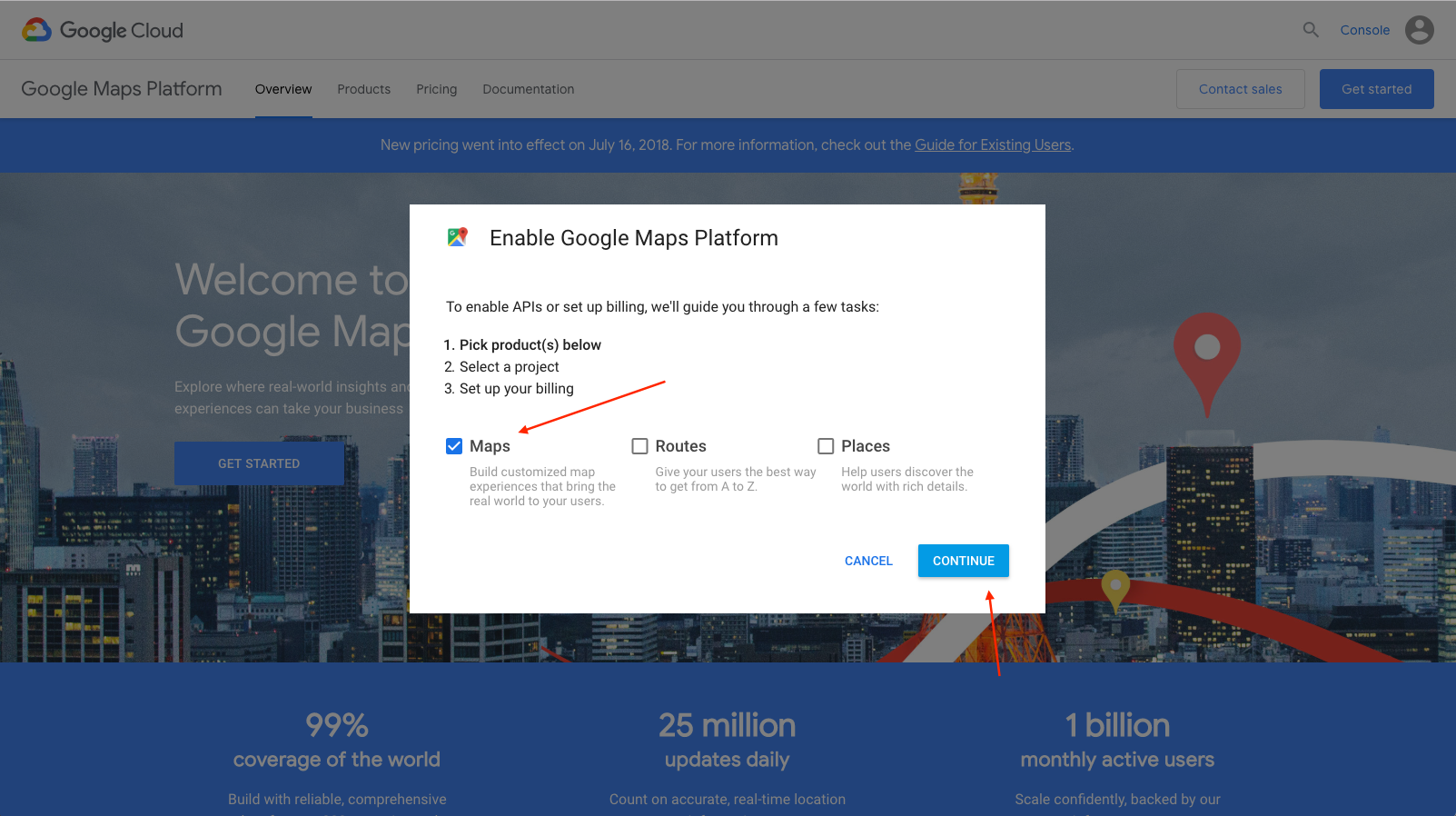
3. Create or select a project.
4. Click Continue to enable the API and any related services.
5. Enable billing. See Usage Limits for more information.
6. Create your project.
7. Go to APIs on the left side.
8. Choose Maps JavaScript API.
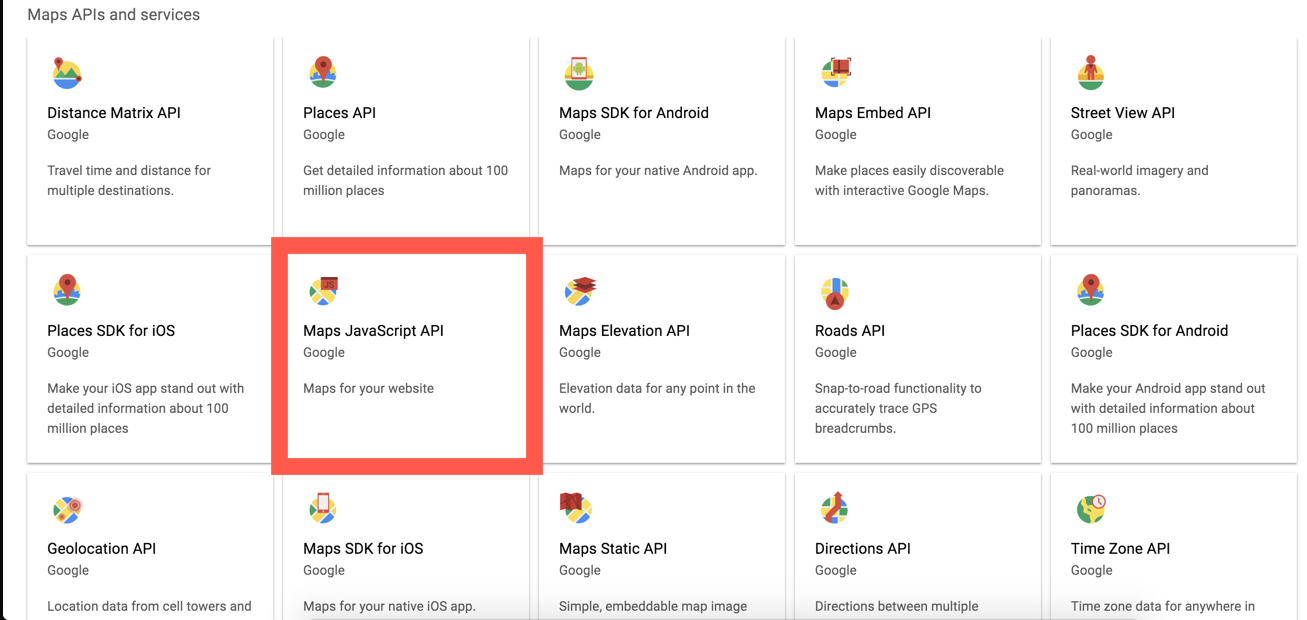
8. Turn on API service.
9. On the Credentials page, get an API key.
10. From the dialog displaying the API key, select Restrict key to set a browser restriction on the API key.
11. Now copy the key.
15. Paste in the Weblium Editor. Done!