To access contact form settings, you need to hover over the fields and click on the wheel button, which will appear in the middle.
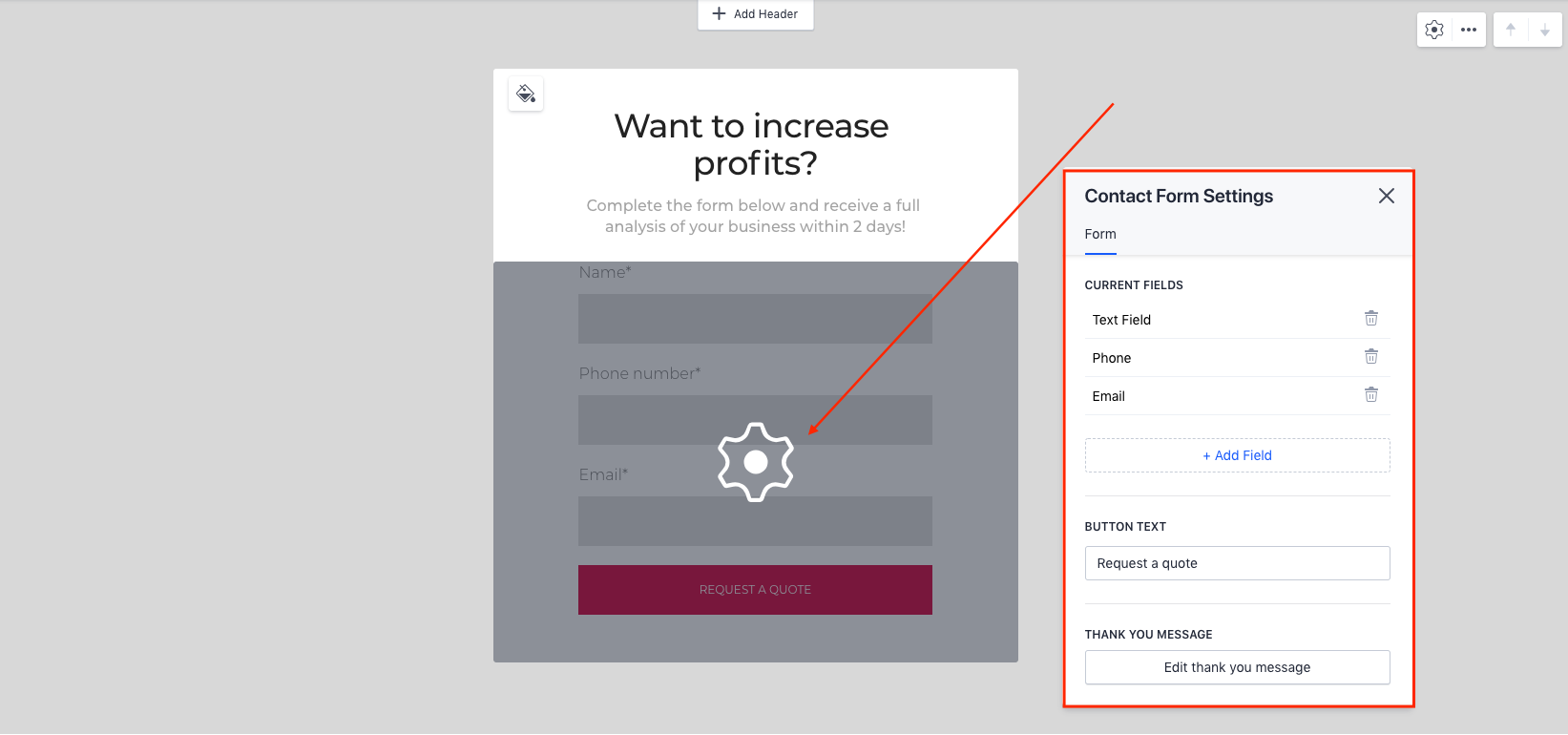
'Current fields' - fields that are present in the form currently.
'Add field' - by clicking on this button, you will be able to add a field to your form from the list of available ones.
'Button text' - text which will appear on the main button.
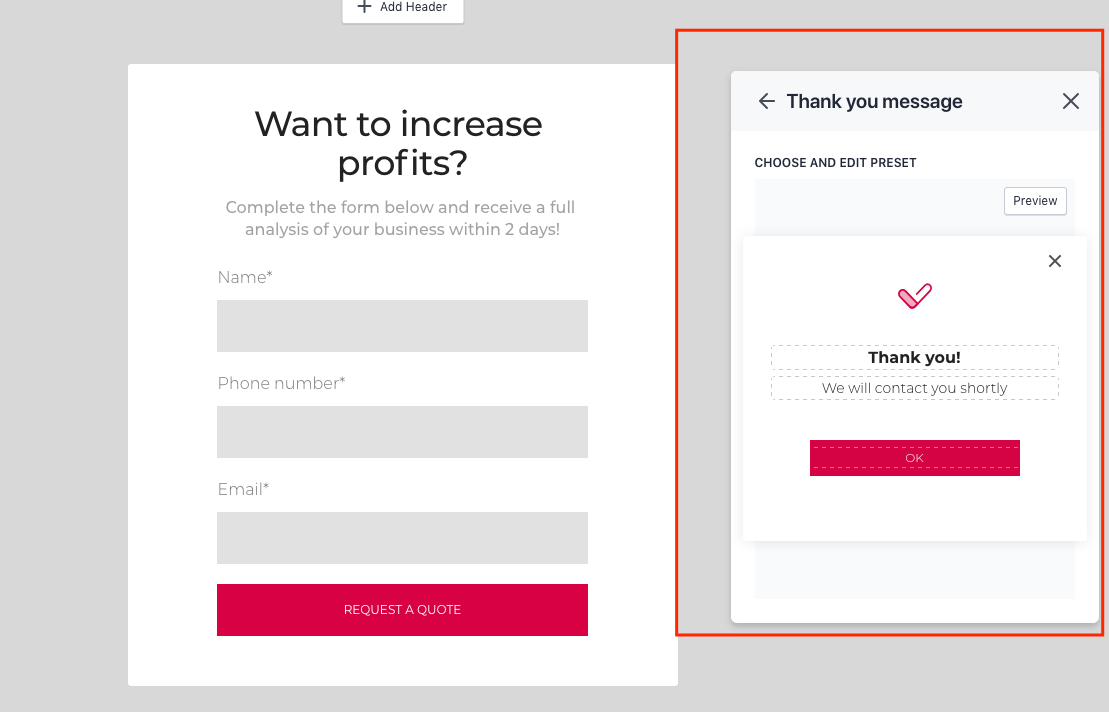
'Thank you message' - by clicking on the button 'edit thank you message', you will be able to edit the message which will appear after the form is filled out.
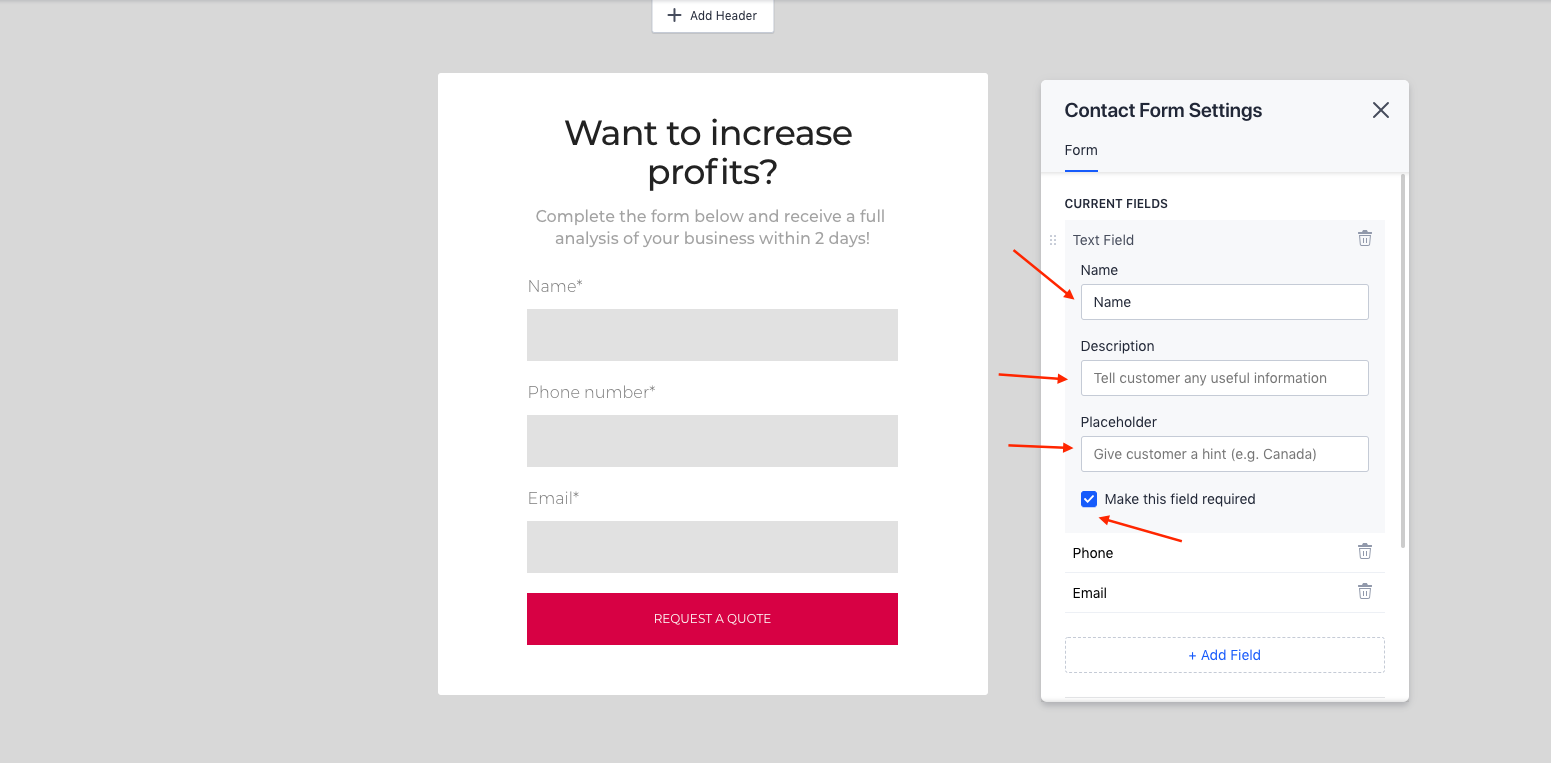
Also, by clicking on any field in the 'Current fields', you will be able to edit them.
'Name' - name of the field, it will be displayed at the top.
'Description' - description of the field, it will be displayed after the name.
'Placeholder' - text which will be displayed in the field.
'Make this field required' - the form will not be sent without this field filled in.